

Getting started
What Tita is, how to create your account, and how the app is organized.
Tita is your personal-finance app built for Argentina. You track your net worth (what you own), your monthly expenses, and your pending bills in one place — in pesos, dollars, or Uruguayan pesos. You can also log everything over WhatsApp without opening the app.
Create your account
There are two ways to start:
- From the web: go to tita.ar and sign in with Google or with your email (you get a magic link to log in without a password).
- From WhatsApp: message Tita and it walks you through signing up. It asks for your email, sends a code to confirm it, and links your number to your account.
How it's organized
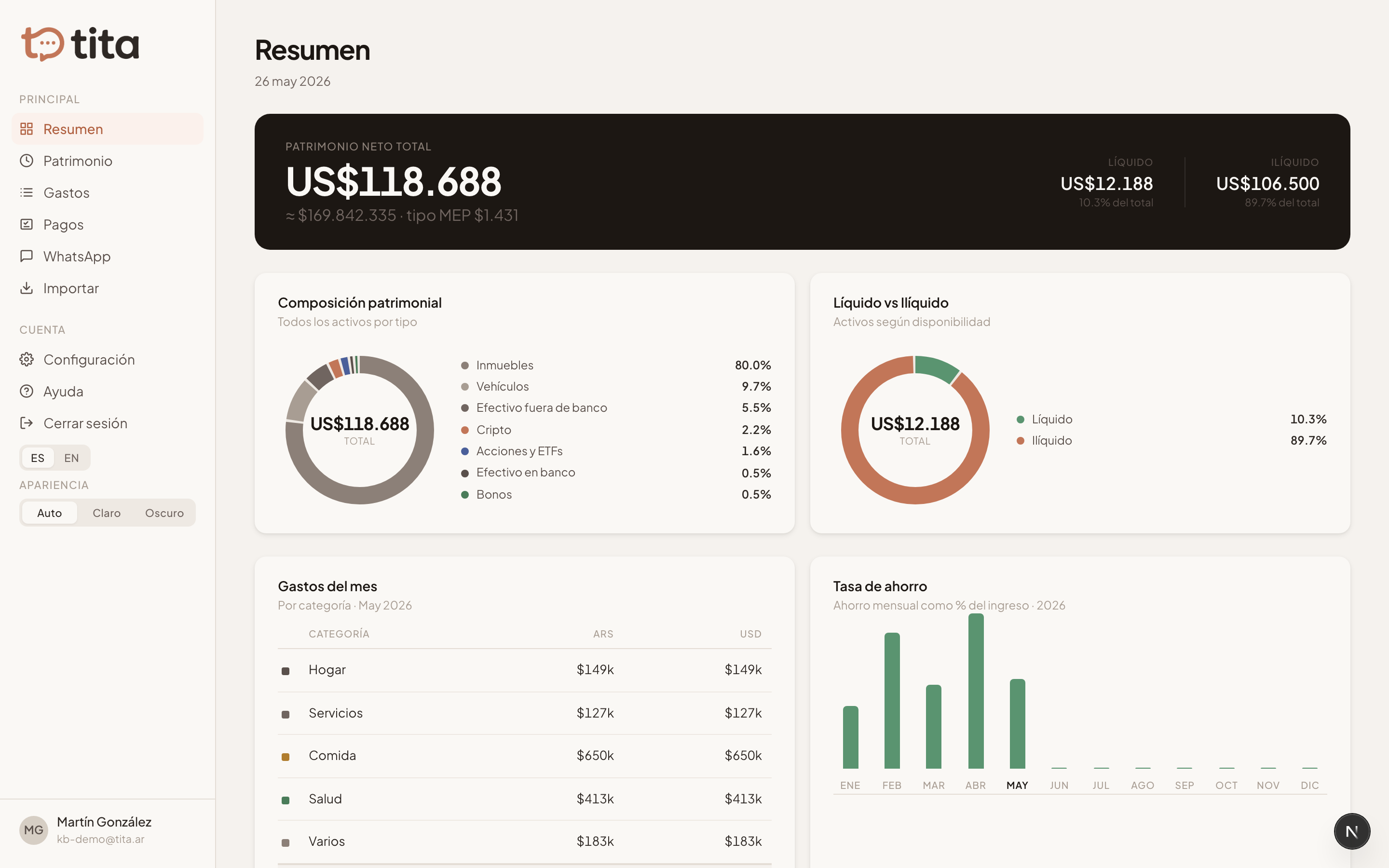
Tita has four main sections: Overview (the big picture of your month and net worth), Patrimonio (your assets and their live value), Expenses (your month-by-month spending and income), and Payables (what you still owe this month). The Import section pulls data in from spreadsheets and card statements with AI.
Your main currency
In Settings you pick your main currency (ARS, USD, UYU, BRL, or EUR). It's the currency Tita shows totals in: even if you log expenses in different currencies, the rollups convert to your main currency using the current exchange rate.